

What it does
SpAssistant turns your phone's assistant key or gesture into a shortcut you control. Instead of always opening a voice assistant, make that button do exactly what you want. Set SpAssistant as your device's default assistant, pick one action, and it runs every time the assistant key fires.
Actions
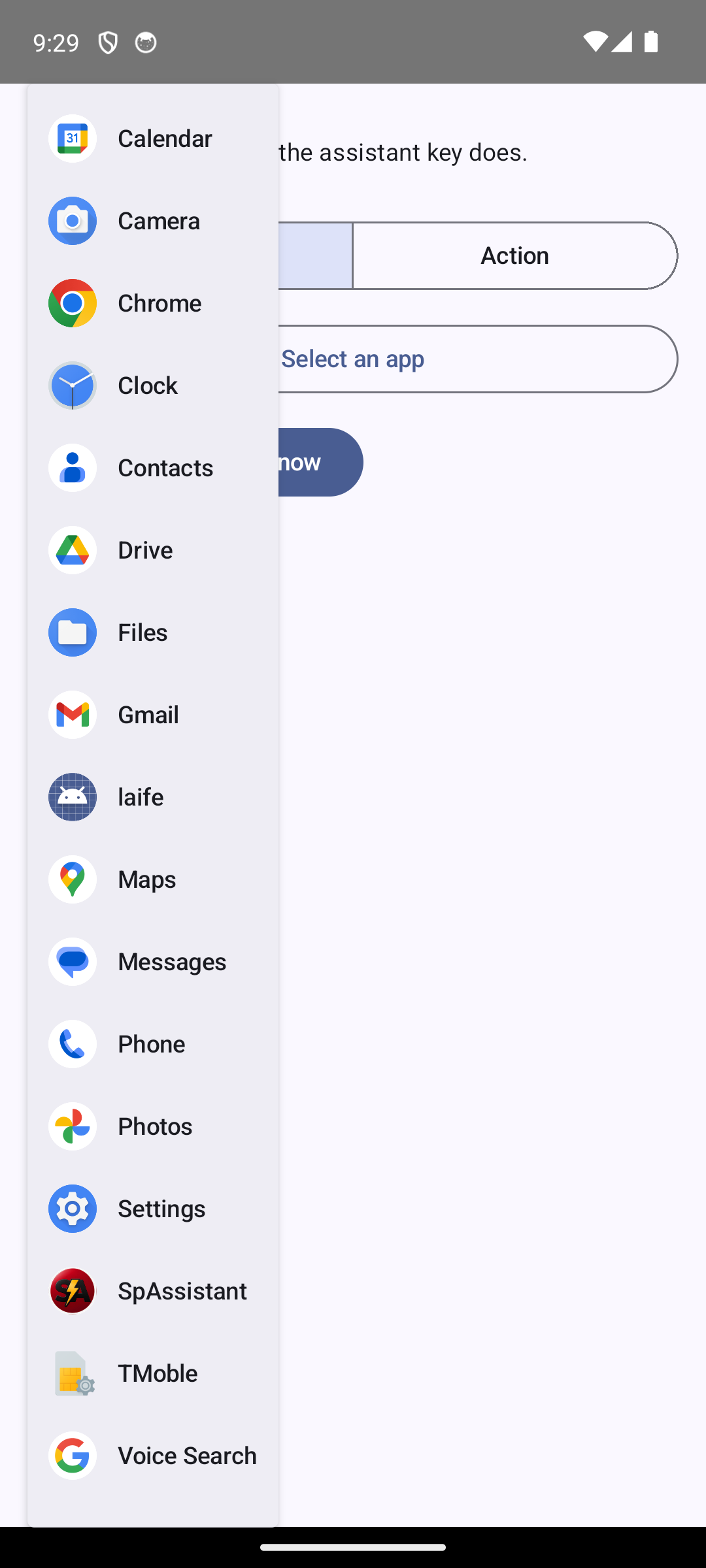
Launch any app
Pick any installed app from a list showing each app's real icon.
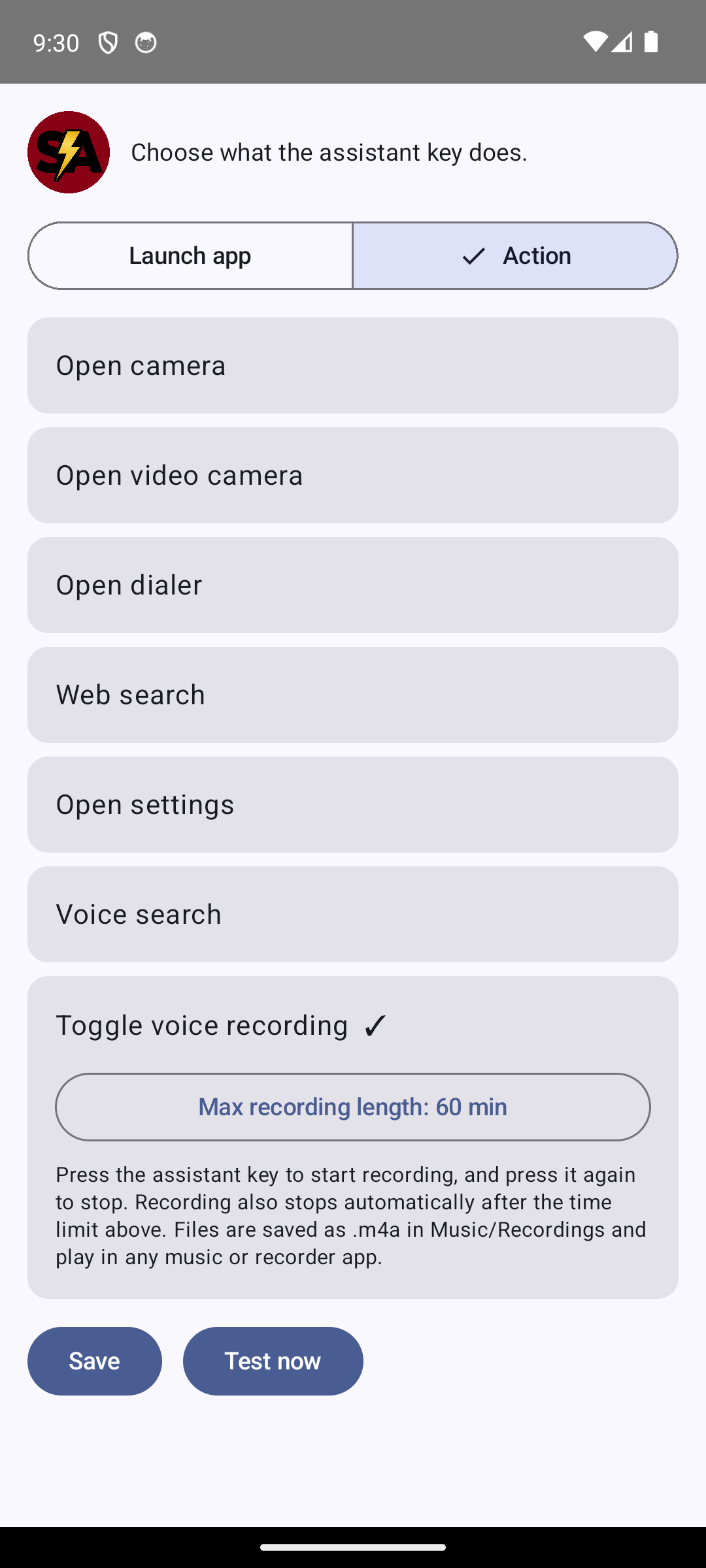
Quick actions
Camera, video camera, dialer, web search, voice search, settings.
Toggle voice recording
Press to start, press to stop. Set a max length (1–180 min); saved as .m4a in Music/Recordings.
Toggle flashlight
Turn the device torch on or off with the assistant key.
Save current location
Capture your GPS position and open it in Maps from a notification. Stays on your device.
Built-in guidance
A warning and one-tap shortcut if SpAssistant is not your default assistant.
Screenshots
Set it up
- Open SpAssistant and choose your action (and, for recording, a max length).
- Tap Save (or it autosaves on selection).
- Set SpAssistant as the default assistant:
Settings > Apps > Default apps > Digital assistant app > SpAssistant. - Press the assistant key or gesture. Your action runs.
Privacy first
- No ads. No analytics. No accounts. No tracking.
- SpAssistant does not send any data off your device.
- Audio you record stays on your phone; it is never uploaded.
- The microphone is used only while you are actively recording.
Device support
Whether a dedicated assistant key/gesture exists, and whether you can change the default assistant, depends on your device manufacturer and Android version. On some devices the assistant trigger and the default-assistant setting may be limited or unavailable.